
Is FamilyAlbum Free? (2026 Pricing Breakdown)
Yes, FamilyAlbum is free — with caveats. Here's exactly what's included in the free tier in 2026, what Premium ($59/yr) and Premium Pro ($109/yr) actually unlock, and when each upgrade is worth paying for.
The Memory Murals Team • May 6, 2026
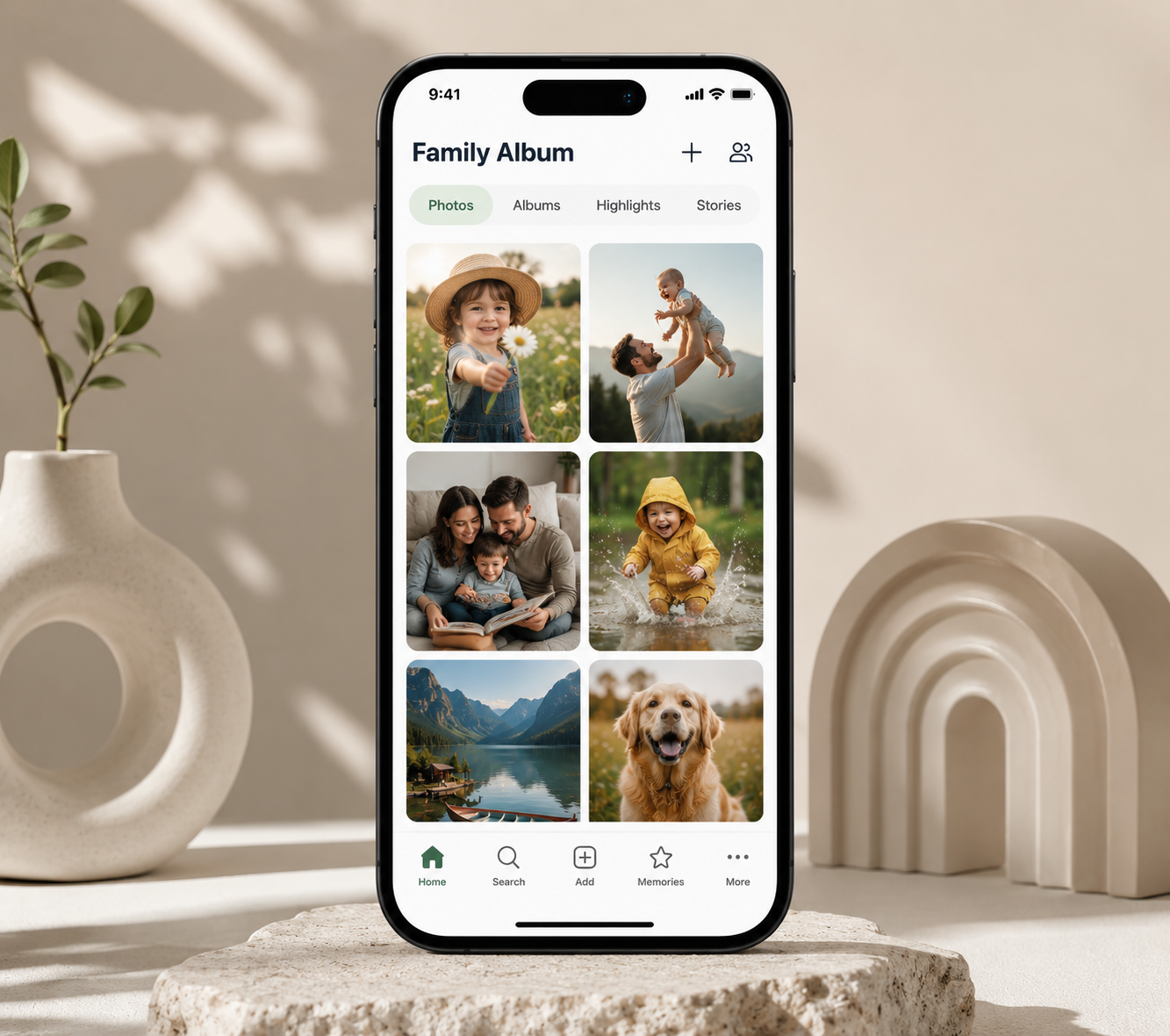
A friend's mother-in-law sent her a frantic text last month. She'd been using FamilyAlbum for three years as the family's main photo-sharing app, and she'd just hit an upgrade screen trying to make a slideshow longer than three photos. "Wait, this isn't free anymore?"
It still is. Mostly. The free tier still exists, it still does the core job, and the upgrade screen wasn't a sign that the goalposts had moved — she just bumped into one of the dozen-or-so feature caps that have always been there.
But the question is fair, and it keeps coming up. So here's the whole answer in one place.
The 30-second answer
Yes, FamilyAlbum is free. The free tier covers the core experience — unlimited photo and video storage, unlimited invited family members, the daily photo feed, and basic sharing. What you give up on free: videos cap at 2 minutes, slideshows cap at 3 photos, 1s Movies are generated quarterly instead of monthly, and there's no computer upload. Paid tiers as of 2026 are Premium at $5.99/month or $59/year and Premium Pro at $10.99/month or $109/year, with the first month free for new subscribers. Pricing verified May 2026 from family-album.com/premium. [Source: family-album.com/premium, verified May 2026.]
The headline above is what most people are looking for. The rest of this post is the actual feature-by-feature breakdown, what the upgrade screens don't tell you, and an honest "is it worth it" call on each tier based on the way real families use the app.
What the FamilyAlbum free tier includes (and what it doesn't)
The free tier is more generous than most people give it credit for. FamilyAlbum is a Mixi product designed to grow through family invites — locking the core sharing flow behind paywalls would have killed that growth. So the free version still covers the basics in 2026, and the paid tiers are sitting on top, not gating the bottom.
What you get on free, what you don't, and what feels like a paywall but actually isn't:
What's included on free
Unlimited photo and video uploads, unlimited invited family members, the daily photo feed with comments and reactions, push notifications for new uploads, the standard 1s Movie generated every three months, basic sharing options, and the FamilyAlbum app on iOS, Android, and a limited web viewer. The photo storage is uncapped — you don't run out of space at 1GB or 5GB the way you would on a free Google or iCloud tier.
What's capped on free
Videos cap at 2 minutes (Premium lifts this to 10 minutes). Slideshows are limited to 3 photos (Premium is unlimited). 1s Movies generate every 3 months on free, vs monthly and yearly on Premium. No computer uploads — you can only add photos from the iOS or Android app. No Personal Pages (the per-person photo grid views Premium unlocks). No custom sharing groups for sub-album segmentation.
The ads question
FamilyAlbum added banner ads on the free tier in late 2025, and they're more visible than they used to be — sometimes interleaved between photos in the feed. The paid tiers remove them. If you've been using FamilyAlbum since 2022 or earlier, this is the change you've probably noticed; it's the single most common reason for cancellations we hear about. [Source: FamilyAlbum App Store and Play Store update notes, late 2025.]
What's not actually a paywall
Inviting family members is unlimited and free. Storage is unlimited and free. The daily photo feed is unlimited and free. People sometimes assume there's a monthly upload cap or a family-size cap on the free tier — there isn't. The caps are on feature quality (video length, slideshow size, movie cadence), not on the core sharing volume.
The shape is worth naming clearly: FamilyAlbum's free tier is genuinely usable for the core job of "share daily family photos with grandparents." The paid tiers exist to unlock the surrounding extras — better recap movies, longer videos, computer access, multi-album segmentation — not the core sharing itself.
The banner ads change matters
This is the part nobody mentions in the marketing copy. Late 2025 ads went from "occasional house ads for FamilyAlbum's own photo book service" to "third-party banner ads interleaved with family photos." For families who picked FamilyAlbum specifically because it was the ad-free alternative to Facebook for grandparents — that bargain has shifted. The Premium upgrade is now partly an "ad-removal" upgrade in practice, even though the marketing page doesn't frame it that way.
FamilyAlbum 2026 pricing: Free vs Premium vs Premium Pro
These are the live prices as of writing — re-checked against family-album.com/premium. The tier structure has been stable for some time, but the per-feature contents do shift occasionally, so verify against the live page if you're reading this more than a few months from publish.
Free — $0
Unlimited photo and video uploads. Unlimited invited family members. Daily photo feed with comments and reactions. Videos up to 2 minutes. Slideshows of up to 3 photos. Quarterly 1s Movies (one auto-generated every 3 months). Basic sharing. Includes banner ads on the feed.
Premium — $5.99/mo or $59/yr
Everything in free, plus videos up to 10 minutes, unlimited-length slideshows, monthly and yearly 1s Movies, computer uploads via the web, Personal Pages per family member, custom sharing groups for sub-album segmentation, free shipping on print products (with exceptions), and the banner ads removed.
Premium Pro — $10.99/mo or $109/yr
Everything in Premium, plus high-quality 1920x1080 video uploads (free and Premium re-encode at lower quality), bulk photo and video downloading, background uploading on iOS, the ability to edit 1s Movies after auto-generation, Chromecast and compatible TV casting, and searching photos and videos by comment text.
A few details that aren't on the pricing page but are worth knowing:
The first month is free for new subscribers, but only once per album, lifetime. That trial applies to either Premium or Premium Pro — but you don't get a second trial later if you switch tiers or cancel and come back. Pick which tier you actually want to test, not just the cheaper one.
Annual is roughly 18% cheaper than monthly. $59/yr vs $5.99 × 12 = $71.88 on Premium, and $109/yr vs $10.99 × 12 = $131.88 on Pro. That's a real discount — bigger than most consumer subscriptions offer. Annual makes sense unless you genuinely think you'll cancel within a few months.
One subscription covers the whole family. When the admin of the album subscribes, every invited family member sees the Premium or Pro features applied to their view. You don't need each grandparent to pay separately. This is one of FamilyAlbum's most underrated pricing decisions.
Save money on Premium Pro if you only need it briefly
The most common pattern we see: families on free or Premium who want to bulk-download everything (for a backup, for switching apps, or for a year-end archive) subscribe to Premium Pro for one month — $10.99 — pull everything down, and then cancel or downgrade. Bulk download is the killer Pro-only feature, and there's no rule that says you have to keep paying for it after you've used it.
Premium vs Premium Pro: the side-by-side breakdown
Most of the upgrade conversation online conflates Premium and Premium Pro into "the paid version." The two tiers are aimed at different users and the gap between them is wider than the gap between Free and Premium. Here's what each one actually unlocks.
Premium ($59/yr) — the 'family sharing parents' tier
Premium is what FamilyAlbum is designed around. The pricing page presents this as the default upgrade, and most paid users land here. The feature set is built for parents who post the daily-life photo updates and want the family-facing experience to feel polished — longer videos for the grandparents, unlimited slideshows for the recap-style updates, monthly recap movies instead of a quarterly one, computer access for the parent who finds the phone upload tedious, and ads removed from the feed. This is the upgrade that materially changes what the family sees. Premium Pro changes what the admin can do behind the scenes.
Premium Pro ($109/yr) — the 'power-user / archiver' tier
Premium Pro is a different product. Where Premium polishes the sharing experience, Pro is built for the admin doing serious archive work — bulk-downloading the album for an external backup, uploading HD video that doesn't get re-encoded down, casting the album to a TV for a holiday gathering, searching back through years of comments to find a specific moment. Most families do not need any of these. If you do (and there are clear use cases below), the $50/year jump is worth it. If you don't, Pro is paying for capability you'll never use.
The clearest way to think about the gap: Premium makes the album look better to everyone who already uses it. Pro makes it possible to do things with the album you can't do at all on Premium — get the photos out, search inside them, push them to a TV, upload HD source files.
Is FamilyAlbum Premium worth $59/year?
This depends entirely on what's actually friction for you. For some families, $59/year is the best subscription dollar they spend all year. For others, the free tier covers everything they actually use and Premium is paying for features they'd never touch.
Here's how to tell which one you are.
Premium is worth it if…
You post videos longer than 2 minutes regularly (birthday parties, school performances, recitals — the 2-minute cap on free hits hardest here). You make slideshows of more than 3 photos when sharing trip recaps. You upload from a computer because the phone-only flow is too slow for the bulk of your photos. You actively use the 1s Movies feature and the quarterly cadence on free feels stale. Or — increasingly the deciding factor — the banner ads on the free tier feel intrusive enough to bother you every time you open the app.
Premium is not worth it if…
You mostly post single photos with short captions and don't do video recap content. You're happy with the quarterly 1s Movie cadence. You only upload from your phone anyway. You haven't noticed the banner ads, or they don't bother you. In this case, the free tier is doing 90%+ of what Premium would do, and you're paying $59/year to remove ads and unlock features you'd touch twice a year. Stay on free.
The "Premium is worth it" group is bigger than most people realize — once you've hit the 2-minute video cap a few times in a year, the upgrade pays for itself in avoided frustration. The "Premium is not worth it" group is more common among grandparent-only viewers (who don't upload) and families who picked FamilyAlbum specifically as a low-overhead photo log.
The honest take on Premium
For active uploading families (one or two parents posting weekly+), Premium at $59/year is genuinely good value — especially with the banner-ad situation on free getting worse. For passive families (occasional uploads, single-photo posts, no video recaps), the free tier still works fine and Premium is overkill. If you can't decide, use the first-month free trial to test it — just remember it's lifetime-once and you won't get another one if you cancel and try again later.
Is FamilyAlbum Premium Pro worth $109/year?
Pro is the harder sell, and the marketing page doesn't help — it lists the Pro-only features as a flat checklist without explaining which ones move the needle. The $50/year delta over Premium is real money, and three of the six Pro features are niche enough that most families will never touch them.
Here's the honest breakdown.
Pro is worth it if…
You want bulk-download for archival or platform-switching purposes — this is the single biggest Pro-only feature, and it justifies a month or two of Pro on its own. You shoot HD video for events you care about preserving at native quality — Premium and free both re-encode at lower resolution. You regularly cast to a TV for family gatherings or memorial slideshows. You want to search comments by text to find a specific moment from years ago. Or you're an admin doing serious yearly archive work — exports, backups, family-history compilation — where Pro's behind-the-scenes capability matters.
Pro is not worth it if…
You're a normal uploading parent who would already be happy on Premium. The features Pro adds are all admin-side or archive-side — they don't change what your invited family members see. Most grandparents will not notice the difference between Premium and Pro at all. Unless you're specifically planning to download everything, upload HD source files, cast to a TV, or search by comment text, the extra $50/year is buying capability without a use case.
The most common pattern: Premium subscribers temporarily upgrade to Pro for one month — usually $10.99 — to bulk-download a year's worth of photos for backup, and then downgrade back to Premium. It's allowed under the tier rules, and it's the cheapest way to get the Pro benefit if archive download is the only reason you wanted it.
The honest take on Pro
Premium Pro is genuinely useful for one specific user — the admin who treats the album as a long-term archive and wants to extract, search, and back it up. For everyone else, Pro is upsell. If you'd already be on Premium and you can't immediately name which Pro-only feature you'd use, you don't need Pro.
When the upgrade makes sense — and when to skip both tiers
Most of the upgrade decision boils down to two questions: what feature on the free tier are you bumping into, and how often. If you can answer both clearly, the right tier picks itself.
1. Map your friction to a specific feature cap
Spend a week noticing which free-tier limit you actually hit. Is it the 2-minute video cap on a child's recital? The 3-photo slideshow when you wanted to share 12 trip photos? The quarterly 1s Movie when you wanted a monthly recap? The lack of computer upload when you have 200 photos on your laptop? The banner ads in the feed? Without a clear named friction, no upgrade is worth it.
2. Check whether Premium fixes it or you need Pro
Premium fixes: long videos, big slideshows, monthly movies, computer upload, ad removal. Pro fixes: bulk-download, HD video uploads, TV casting, comment search. Almost all "I'm frustrated with the free tier" frictions live in the Premium column. Pro is only needed for archive-side admin tasks most families don't think of as daily friction.
3. Compare against the cost of the next-best alternative
Premium at $59/year is reasonable. But the alternative isn't always "stay on free" — it's "switch apps." If your real friction is the banner ads, the slow feed at year 5+, or the grandparents disengaging, no amount of Premium spend fixes those. They need a different app shape, not a tier change. The /compare/familyalbum page covers the head-to-head on what families switch to and why.
4. Use the free month to test, not to procrastinate
The first-month free trial is one per album, lifetime. Don't burn it on "I'll figure it out later" — burn it on a deliberate test of the tier you're seriously considering. Pick Premium or Pro based on step 2 above, use the month, and decide before the renewal date. Cancellation is a two-minute App Store or Play Store flow.
The most common mistake at this stage is paying for Premium "just in case" and then never using the features that justify the upgrade. The second most common mistake is paying for Pro because it sounds like "the better one" without actually needing any of the Pro-only features. Both are fixable — but it helps to skip the mistake in the first place.
When FamilyAlbum's pricing model is the actual friction
Sometimes the question isn't "Premium or Pro?" — it's "is paying a renewing subscription for the family album the right shape at all?" If your real frustration is the structure of the cost rather than the dollar amount, no tier in FamilyAlbum's lineup will fix it.
A few signs the pricing shape is the friction:
You've been on FamilyAlbum for 3+ years and the cumulative subscription spend has started to feel large relative to what the album does for you. You bought Premium for a specific feature (longer videos for a recital), used it, and now keep paying because cancelling feels like losing access to the recap movies. You notice that on the free tier the album exists indefinitely but the features you actually want require ongoing rent — and that the gift-economy framing of "share family memories" sits awkwardly next to a monthly bill.
This pattern is the same one that comes up with StoryWorth's cost structure and most subscription-based memory apps — the value proposition is "preserve forever" but the access model is "pay forever." The mismatch isn't always wrong, but it's worth naming when it is.
For families bumping into this specifically, a flat-priced archive (or one with a longer-term plan structure) tends to fit better than a tiered subscription. The digital family archive vs photo albums piece walks through the longevity question in more detail — what survives 20+ years of subscription drift, and what doesn't.
Full disclosure: we make Memory Murals, which is a private family archive that captures voice recordings, photos, and stories from the whole family — searchable across decades, no ads on any tier, one price covering the whole family. It's a different shape from FamilyAlbum. Whether that shape is right for you depends on whether you want a daily photo feed (FamilyAlbum's strength) or a long-term searchable archive of voices, photos, and stories (where we sit). Both are valid; they're different jobs. The roundup on private family photo sharing apps covers the full landscape if you want a wider comparison than just us.
The honest short version
FamilyAlbum is free, the free tier is genuinely usable for the core sharing job, and most families do not need either paid tier. Premium at $59/year is good value for active uploading families who hit the 2-minute video cap, want longer slideshows, dislike the banner ads, or use the recap movie features regularly. Premium Pro at $109/year is worth it for one specific user — the admin doing archive-side work (bulk download, HD video, TV casting, comment search). For everyone else, Pro is paying for capability without a use case.
The first-month free trial is genuinely free but only works once per album, lifetime. Use it on the tier you actually want to test, not on "I'll figure it out later." Cancellation is a two-minute App Store or Play Store flow, and cancelling doesn't delete your album or your data — it just drops you back to free.
If the pricing model itself — paying ongoing rent for features that frame as long-term preservation — is what bothers you rather than the dollar amount, no FamilyAlbum tier will fix that. That's a shape question, not a tier question, and it usually points to a different app entirely. For the full picture on FamilyAlbum beyond just pricing — pros, cons, who it's actually for — see our honest FamilyAlbum review.
Ready to find a better fit? Try Memory Murals free →
Related Stories
FamilyAlbum vs Remento: Which Family Memory App Is Actually Better? (2026 Honest Comparison)
Two of the most popular family memory apps, completely different shapes. One is a free passive photo feed built for daily grandchild updates. The other is a $99/year linear project that ships a hardcover book at the end of 52 weeks. Which one fits — and what falls through the gap between them.
The Memory Murals Team • April 6, 2026

The Best Private Family Photo Sharing Apps in 2026 (Honest Facebook Alternatives)
Most families already know they want off Facebook. The real question is where to go. We compared the 8 most popular private family photo sharing apps — honestly, with the tradeoffs that actually matter.
The Memory Murals Team • April 10, 2026

StoryWorth Pricing 2026: How Much Does It Really Cost? ($99 to $260 Explained)
Most families pay $150–$260 for StoryWorth, not the $99 sticker price. Here's the full math: color printing, extra hardcovers ($79 each), page-surplus fees past 300 pages, and the second-year renewal nobody mentions — plus when an alternative saves you more.
The Memory Murals Team • May 9, 2026