
Best Family Memory Apps for Android (2026)
Most family memory apps are iOS-default. If anyone in your family uses Android — which, statistically, half of them do — the most-recommended solutions don't work. Here's what actually works cross-platform.
Patrick Moore, Founder • May 10, 2026
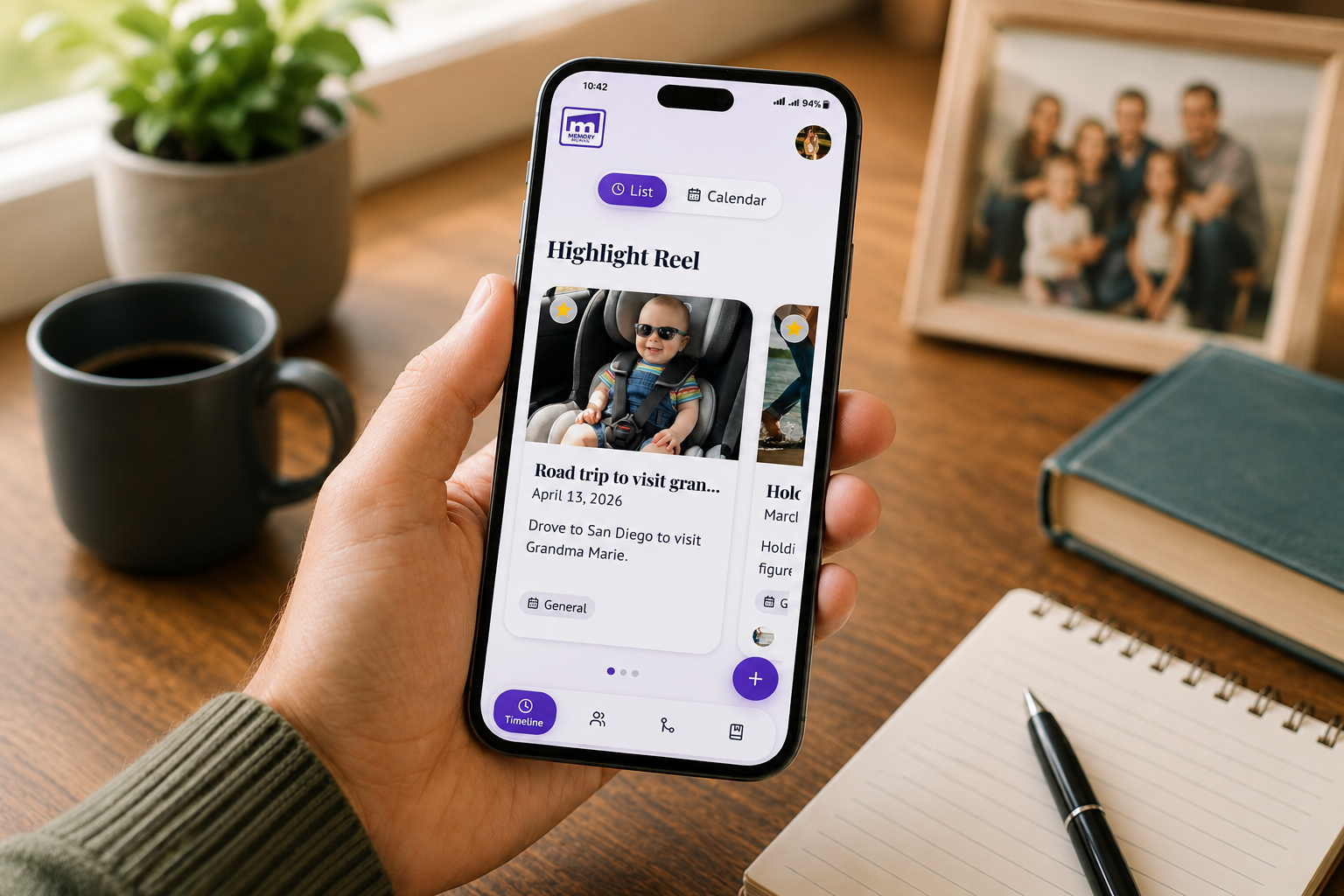
Here's a thing nobody mentions in the family-memory-app reviews: most of them are iOS-default. iCloud shared albums, the most-recommended "just use this" answer, locks Android relatives out completely. iPhone-only group chats with photo albums don't work for the cousin who switched to a Pixel three years ago. Even some "cross-platform" apps have Android versions that lag the iOS version by months and ship with fewer features.
In 2026, roughly half of US smartphones are Android. Globally it's more like seventy percent. If you're building a family archive that's supposed to work for everyone in the family — not just the iPhone-using half — the Android question is the thing that actually decides which tools are viable.
This post is the cross-platform breakdown. Not "does it have an Android app" (most do, technically) — but "does it actually work the same on Android as on iPhone, and does the Android version ship the features Android users will be paying for?"
Disclosure
We make Memory Murals, which is web-first by design (it works in any browser on any device, including Android). That gives us a structural advantage in this comparison, and we're going to be honest about it. We're also going to be honest about where iOS-native tools genuinely win — because some of them do, on iPhone-to-iPhone scenarios, and pretending otherwise wouldn't help anyone.
Why "iCloud shared albums" isn't an answer for mixed-device families
The default recommendation across most family-photo articles is "just make a shared album in iCloud Photos." It's free, it works, and it's already on the iPhone. The article ends; everyone moves on.
The problem: shared albums on iPhone are an iCloud feature, which means anyone joining needs an Apple ID and (effectively) an iPhone or iPad. Android users can technically view a public shared album link in a browser, but they can't contribute. They can't get notifications when new photos are added. They can't comment. They can't add their own photos to the family album. For practical purposes, they're locked out.
If everyone in your family uses an iPhone, this is fine and you can probably stop reading. If anyone uses Android — which, statistically, is around half of US households at this point — iCloud shared albums are dead on arrival. Picking that as your family's archive solution is essentially picking against your Android relatives.
The same trap applies to several other "obvious" answers:
- iMessage group threads with photos — Android users get them as MMS at much lower image quality, and iMessage features (reactions, replies, threading) don't work for them.
- Apple Photos sync features — only Apple-device users.
- Apps marketed as "iPhone family album" apps — often technically have Android versions but with subset features.
For an actually-cross-platform family archive, the question shifts to: which apps treat Android as a first-class platform, and which were built web-first so that the device doesn't matter at all?
Six options families can actually use across iPhone and Android
The honest cross-platform list, in roughly the order they fit different family situations.
1. Memory Murals — web-first, works the same on every device
Full disclosure first: this is our product. The reason it's at the top of an Android-friendly list is structural. Memory Murals is a web app. It works in any browser on any device — iPhone, Android, iPad, laptop, the family computer at your in-laws' house. There's no app to install, no platform-specific features that work better on iOS, no "version 2.4 coming to Android soon" footnote. The Android experience is the same as the iPhone experience because there's no separate Android version. The platform is the browser.
For families with mixed devices, this matters more than people predict. The aunt with the Pixel and the cousin with the Galaxy Note both get the same product the iPhone-using kids do. Voice recordings, photos, videos, AI transcription, Life Threads — all available everywhere.
The trade-off: there's no native iOS or Android app, so the experience is browser-based rather than icon-on-the-home-screen. That's a real preference difference for some users; for most family-archive use cases, it's a feature, not a limitation.
2. FamilyAlbum — solid native apps on both platforms
FamilyAlbum has been one of the better cross-platform private family photo apps for several years. The Android version reaches feature parity with iOS reasonably quickly when new features ship. It's free for the basic tier, which lowers the entry barrier for Android relatives who haven't bought into a paid app before.
FamilyAlbum is photo-and-short-video focused — it's not a story or voice archive in the way Memory Murals is. For families who want a private alternative to a Facebook feed for kid-photo updates, with full Android support, it's the closest direct fit. For families who want voice recordings and family stories alongside photos, it's only a partial fit.
For the head-to-head, see Memory Murals vs FamilyAlbum.
3. Tinybeans — cross-platform but parenting-feed framed
Tinybeans is iOS- and Android-equivalent in features, with the same caveat as FamilyAlbum: it's framed around parenting (specifically baby and toddler milestones), not multi-generational family archives. If you have a young child and want a private cross-platform feed where grandparents on either Android or iPhone can keep up, Tinybeans is built for that. For older relatives' stories or multi-decade archives, it's not the right shape.
4. Remento — voice-first, cross-platform via web
Remento captures voice stories from one storyteller (typically a parent or grandparent) and produces a printed memoir book. The recording experience is web-based, so the storyteller and family members can use any device. The deliverable is a physical book, which is platform-agnostic by definition.
For families where a grandparent on Android wants to record stories, Remento's web-based recording flow works. The app companion is iOS-and-Android-equivalent. It's a good cross-platform fit for the specific use case of "one storyteller, twelve-month project, book at the end."
5. StoryWorth — email-based, no platform dependence
StoryWorth's whole model is email — the storyteller answers a weekly emailed prompt by writing back. Email is platform-agnostic; the storyteller can be on any device, any operating system, any email client. That makes StoryWorth one of the most platform-neutral options in the category, by accident more than design.
The trade-off: email-based means text-first. Voice recordings require the $109 Color tier and are still transcribed into the printed book rather than preserved as audio. For families specifically optimizing for "works on any device including Grandma's old Android phone," StoryWorth wins on device-neutrality. For families who care about voice as audio, the text-first model is the bigger limitation.
6. Google Photos — cross-platform but not story-shaped
Google Photos is the most cross-platform option in the category — it works equally well on Android (where it's built in), iOS, web, and any device with a browser. Photo backup, AI organization, and shared library features all work the same across platforms.
The limitation is the same as iCloud shared albums in a different direction: Google Photos is photo storage with light memory framing. There's no place to record voice stories, no guided prompts, no multi-decade family-archive structure. For raw cross-platform photo backup, it's the leading option. For a family memory archive in any deeper sense, it's a complement to a story-focused tool, not a replacement.
Cross-platform feature comparison
Different tools optimize for different jobs. Here's the honest picture:
| Feature | Physical | Digital |
|---|---|---|
| Works on Android | ||
| Voice recording cross-platform | ||
| Multi-contributor archive | ||
| No app install needed | ||
| Story / written memory support | ||
| Best for |
Works on Android
- Physical
- Digital
Voice recording cross-platform
- Physical
- Digital
Multi-contributor archive
- Physical
- Digital
No app install needed
- Physical
- Digital
Story / written memory support
- Physical
- Digital
Best for
- Physical
- Digital
For deep dives on specific competitors: Memory Murals vs StoryWorth, Memory Murals vs Remento, Memory Murals vs Tinybeans, Memory Murals vs Google Photos.
What actually works for a mixed iPhone-and-Android family
After hundreds of family-archive setups, a few patterns emerge for genuinely cross-device families:
Pattern A — Memory Murals as the archive, Google Photos as the backup. Most common for families serious about preserving stories and keeping all the device-roll photos backed up. Memory Murals holds the curated archive (voice recordings, photos with context, family stories). Google Photos holds the bulk auto-backup of everyone's phone roll regardless of platform. The two complement each other — one is the curated record, the other is the catch-all.
Pattern B — FamilyAlbum for kid photos, Memory Murals for the deeper archive. Common for young families. FamilyAlbum is the daily kid-photo feed grandparents on both Android and iPhone keep up with. Memory Murals is the longer-arc archive that holds voice recordings, milestone stories, and the multi-generational context.
Pattern C — Email-based StoryWorth for one parent's stories, Memory Murals for everyone else's. When one parent specifically wants the printed-book deliverable but the broader family archive needs to work cross-platform. StoryWorth works for the parent (email is universally compatible); Memory Murals works for the broader multi-contributor archive.
The pattern most families don't end up with: a single iOS-native app trying to be the archive. That breaks the moment the cousin on Android tries to participate.
Pick the tool the slowest member of your family can use
The honest test for any family-memory app is: can the least-technical, most-stubborn-about-not-switching-devices member of your family actually use it without help? If the answer is "yes, but they need to install an app first" or "yes, but only on iPhone," you've already lost half the family before you've started.
The advantage of a web-first or genuinely cross-platform tool is that the device doesn't matter. The aunt with the old Galaxy and the nephew with the brand-new iPhone open the same private link and see the same archive. There's no Android-version-of-the-app conversation, no "what's iCloud," no "I don't want to download another app." It just works.
That's a small thing on day one. Across twenty years and multiple device generations, it's the thing that decides whether your archive survives or fragments into a half-dozen platform-locked silos.
If you're picking a tool today and any member of your family uses Android — pick something cross-platform. The shape of the family will shift over decades; the archive should outlast every individual device decision.
Ready to start a cross-platform family archive? Try Memory Murals free → — works on Android, iPhone, iPad, and any browser. No credit card required.
Frequently asked questions
What is the best family memory app that works on both iPhone and Android?
Memory Murals is the most platform-neutral option in the category — it's a web app, so it works the same on every device including Android, iPhone, iPad, and any browser. FamilyAlbum and Tinybeans have native Android apps that reach feature parity with iOS. For raw photo backup specifically, Google Photos is fully cross-platform. The right pick depends on whether you need voice and story support (Memory Murals), kid-photo feed (FamilyAlbum or Tinybeans), or pure photo backup (Google Photos).
Why don't iCloud shared albums work for Android users?
iCloud shared albums are part of Apple's iCloud ecosystem, which requires an Apple ID and is effectively iOS-only for full functionality. Android users can view a public shared-album link in a browser, but they can't contribute photos, get notifications when new photos are added, or comment. For a mixed iPhone-and-Android family, iCloud shared albums lock the Android users out of full participation. A cross-platform tool like Memory Murals (web-based) or FamilyAlbum (native Android app) avoids this trap.
Is there a Google Photos alternative that captures family stories?
Google Photos is excellent at photo backup but doesn't capture stories, voice recordings, or family context — it's a photo storage tool with lookback features, not a memory archive. Memory Murals is the closest cross-platform alternative that adds voice recording, written stories, and multi-contributor family archive features alongside photos. Many families use both: Google Photos for the bulk camera-roll backup, Memory Murals for the curated archive of voices and stories.
Does Memory Murals have an Android app?
Memory Murals is a web app, which means it works in any browser on any device — including Android. There's no separate native Android app to install, but the full feature set is available through the browser. For users who prefer a home-screen icon, modern Android browsers support 'Add to Home Screen' which creates a launcher shortcut that opens Memory Murals like an app would.
Can grandparents on Android record voice messages for the family?
Yes — on any tool that supports cross-platform voice recording. Memory Murals' voice recording is browser-based and works on Android the same way it works on iPhone. Remento's recording flow is also web-based and platform-agnostic. iOS-only tools like Apple Voice Memos won't transfer cleanly to Android relatives, but a web-first archive tool sidesteps the problem entirely.
What's the most platform-neutral way to share family photos and stories?
A web-based archive that doesn't require an app install or a specific operating system. Memory Murals is built on this premise — invitees open a private link in any browser to view or contribute, with no Android-vs-iPhone friction. The most common alternative is email-based tools like StoryWorth, which sidestep platform questions because email itself is platform-neutral, but at the cost of being text-first rather than multimedia.
About the author
Patrick Moore, Founder of Memory Murals
Patrick Moore is the founder of Memory Murals. He built it after realizing how much of his own family's history had quietly slipped away — to help families preserve their stories, voices, and photos while they still can.
Related Stories

Comparisons
The Best Private Family Photo Sharing Apps in 2026 (Honest Facebook Alternatives)
Most families already know they want off Facebook. The real question is where to go. We compared the 8 most popular private family photo sharing apps — honestly, with the tradeoffs that actually matter.
Patrick Moore • April 10, 2026

How-To Guides
How to Make a Shared Album on iPhone (2026 Guide) — And Why It's Not Enough
Step-by-step guide to creating shared albums on iPhone. Plus, why shared albums fall short for preserving family memories long-term — and what to use instead.
Patrick Moore • March 29, 2026

Comparisons
We Tested 11 Family Archive Apps — Here's What Actually Works (2026)
Most family archive apps fall into two traps: they're either too clinical or too focused on death. We tested everything from AI biographers to memorial sites to find what actually works for living families.
Patrick Moore • April 13, 2026